Hytale Hardware Requirements
Hytale PC Performance & System Requirements
As we get closer to launch, many players have asked what kind of hardware Hytale requires. Our goal is clear: make the game broadly accessible while still supporting the scale, simulation, and modability that define Hytale. Remember that we are still working on performance improvements.
This post outlines what we’ve tested so far, why certain hardware matters, and the current minimum, recommended, and recording/streamer system requirements. These requirements are based on real in-house benchmarks and will continue to evolve as we optimize the game.
You can scroll down to the “Recommended Requirements” for a TL;DR. Hytale is not a simple game for computers, so we try to explain as much as possible.
We are actively working to bring Hytale to Linux and Mac as soon as possible.
System Requirements
Hytale requires both a 64-bit processor and operating system.
- Minimum: Targeting 30+ FPS at 1080p on Low preset.
- Recommended: Targeting 60+ FPS at 1080p on High preset.
- Recording/Streamer: Stable framerate with high-quality video capture and streaming at 1440p.
These categories reflect actual in-house testing across low-end integrated GPUs, mid-range laptops, and high-end recording setups.
Minimum Requirements (1080p @ 30 FPS)
- OS: 64-bit Windows 10 (version 1809), Windows 11
- CPU: Intel Core i5-7500 (or equivalent), AMD Ryzen 3 1200 (or equivalent)
- RAM:
- Singleplayer, with dedicated graphics: 8 GB
- Singleplayer, with integrated graphics: 12 GB
- Multiplayer-only: 8 GB
- GPU:
- Integrated:
- Intel UHD Graphics 620
- AMD Radeon Vega 6
- Dedicated:
- NVIDIA GTX 900 Series
- AMD Radeon 400 Series
- Intel Arc A-Series
- Note: A graphics card with up-to-date drivers supporting at least OpenGL 4.1 is required. Future versions of Hytale may additionally require support for Vulkan 1.3 and DirectX 12.
- Storage: SATA SSD with 20 GB of free space
- Network: 2 Mbit/s connection for multiplayer (UDP/QUIC compatible).
Based on benchmarks where Intel HD Graphics 630 achieved ~30–34 FPS at 1080p. We definitely recommend setting the “view distance” to 192 blocks. Ensure that no other programs are running to guarantee performance.
Recommended Requirements (1080p @ 60 FPS)
- OS: 64-bit Windows 10 (version 1809), Windows 11
- CPU: Intel Core i5-10400 (or equivalent), AMD Ryzen 5 3600 (or equivalent)
- RAM: 16 GB
- GPU:
- Integrated:
- Intel Iris Xe Graphics
- AMD Radeon 660M
- Dedicated:
- NVIDIA GTX 900 Series
- AMD Radeon 400 Series
- Intel Arc A-Series
- Note: A graphics card with up-to-date drivers supporting at least OpenGL 4.1 is required. Future versions of Hytale may additionally require support for Vulkan 1.3 and DirectX 12.
- Storage: NVMe SSD with 20 GB of free space
- Network: 8 Mbit/s connection for multiplayer (UDP/QUIC compatible)
Storage Requirements
Hytale procedurally generates a world that can, in practice, grow without a fixed limit. Based on extensive playtime in exploration mode, we found these numbers to be representative of a normal playthrough. Keep in mind: the more you explore, customize, and build with a wide variety of blocks, the more memory and storage the game will require.
- Installation size: 8 GB
- Saved game size (in Exploration mode):
- ~661 MB for 5000x5000 blocks
- ~27 KB per 32x32 chunk
We recommend at least 10 GB of available storage with 20 GB being a safe bet to enjoy the game for a long duration. SSD is strongly recommended.
Network Requirements
Hytale has to be downloaded from the internet as we do not offer physical sales. Once downloaded, you can always play singleplayer in “offline-mode”.
For multiplayer, the network requirements mostly depend on your view distance. You will download a lot more data than uploading. Your upload speed is generally irrelevant and very small. (<250 Kbit/s)
We have tested an Exploration Mode server and created a worst-case scenario by travelling at 1.5x speed to keep loading new world data faster than a player could.
- View Distance: 192 blocks
- Minimum: 2 Mbit/s
- Recommended: 4 Mbit/s
- View Distance: 384 blocks
- Minimum: 4.5 Mbit/s
- Recommended: 7 Mbit/s
- View Distance: 480 blocks
- Minimum: 6 Mbit/s
- Recommended: 10 Mbit/s
Keep in mind these numbers are worst case scenarios. If you play normally in an exploration mode server while mining, crafting and exploring, you will not consume nearly as much bandwidth and should even have playable experiences on 1 Mbit/s ADSL connections at lower view distances.
Especially playing minigames such as Skywars, Bedwars or other minigames with small maps will result in very low bandwidth usage.
Recording / Streamer Requirements (1440p @ 60 FPS)
For players who want to record, stream, or produce Hytale content with stable framerates during high-bitrate capture.
The goal here is not raw FPS but consistent frametime under heavy load (large battles, complex builds, high view distance, simultaneous server simulation if in singleplayer).
Suggested Setup
- OS: 64-bit Windows 10 (version 1809), Windows 11
- CPU: Intel Core i7-10700K (or equivalent), AMD Ryzen 7 3800X (or equivalent)
- RAM: 32 GB
- GPU:
- NVIDIA RTX 30 Series
- AMD Radeon RX 7000 Series
- Intel Arc A-series
- Note: These recommendations are made as newer graphics cards provide much better video quality for a given bitrate, especially for livestreaming scenarios. If supported, we also strongly recommend the use of AV1 / HEVC for video recording.
- Storage:
- NVMe SSD with at least 10% (or 50 GB) of free space available.
- Note: For best performance, we recommend using a separate drive for video recording.
One internal benchmark (AMD Ryzen 9 9950X3D, NVIDIA RTX 5080, 2x32 GB DDR5-6000) sustained around 400 FPS at 3840×1440 resolution with view distance set to 768 blocks in singleplayer while recording the game in AV1.
This tier is optional but helpful for creators who want stable 60+ FPS at high resolutions during recording sessions.
How Hytale Uses Your Hardware
Hytale runs both a client and a server. Depending on how you play, your hardware requirements change:
Singleplayer
Singleplayer is the most demanding scenario. Your machine runs:
- The full game client (rendering, UI, gameplay)
- The entire simulation on the server (NPCs, world generation/updates, networking layer)
This increases CPU and RAM usage compared to multiplayer. Generally, the “server” or singleplayer requires more CPU performance due to NPCs, world generation and voxel logic running on your computer.
Multiplayer
In multiplayer, the server runs remotely. Your PC only handles graphics and gameplay, which typically results in better performance on the same hardware.
If you intend to play only multiplayer / minigames, you may be able to use less than the requirements listed below.
Mods
Mods will increase requirements. Large content packs, complex server logic, or extended view distances can push both the CPU and the GPU harder than in the baseline game.
View Distance
The most impactful performance option is called “view distance”. This is the radius around the player that is visible, loaded and simulated around the player.
The major problem of view distance is that every time you double the view distance (e.g. 192 -> 384), you quadruple the amount of world around you. That means you have 4x as many blocks and NPCs, which are causing your computer to work harder.
We recommend you experience Hytale with a view distance of 384 blocks. We designed Orbis around this distance, but if that is not enough for you, you may want to spend some time dialling in the ideal view distance for your own computer.
Visualization of View Distance
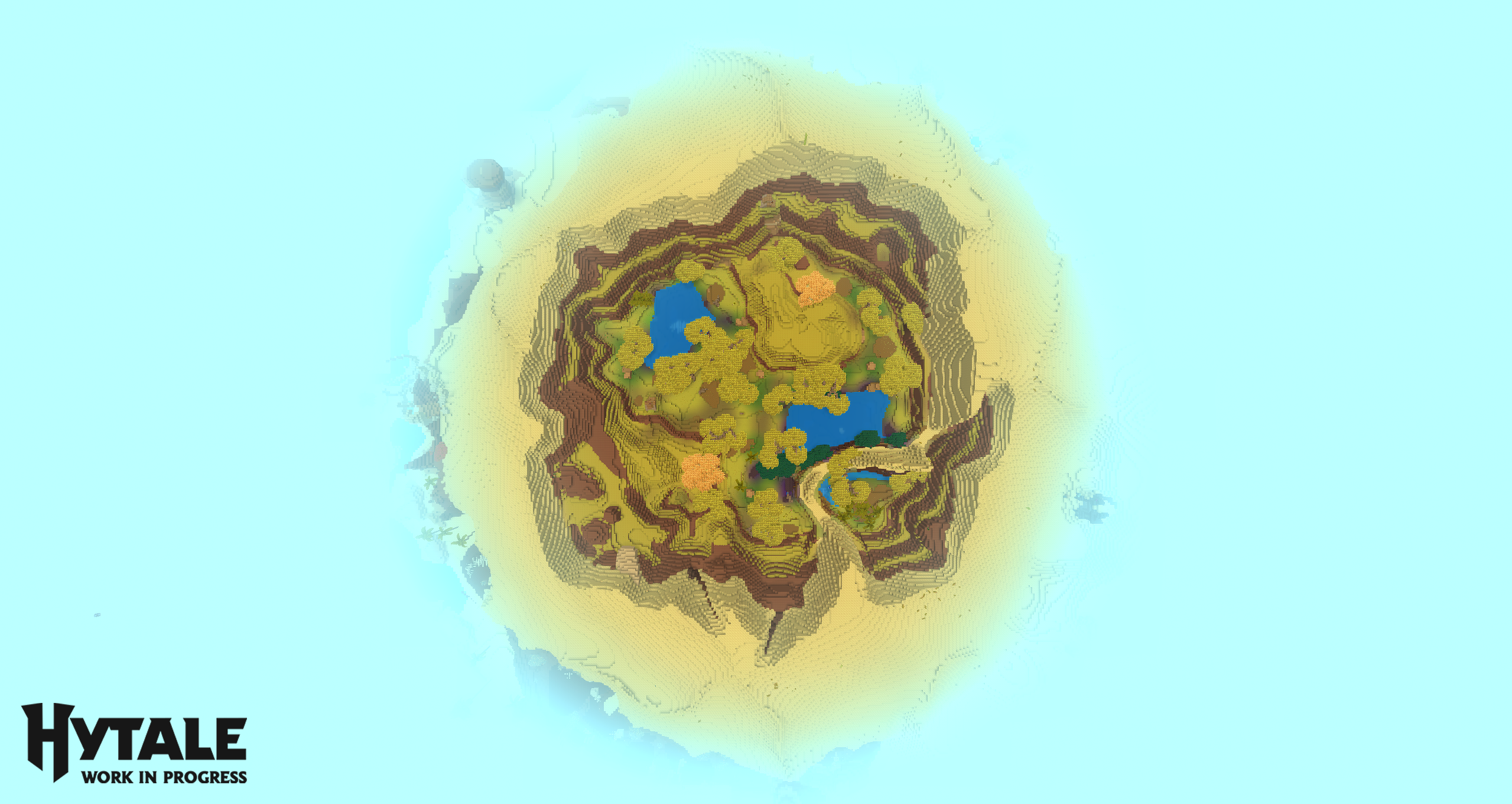
(Screenshot of 192 view distance from above)
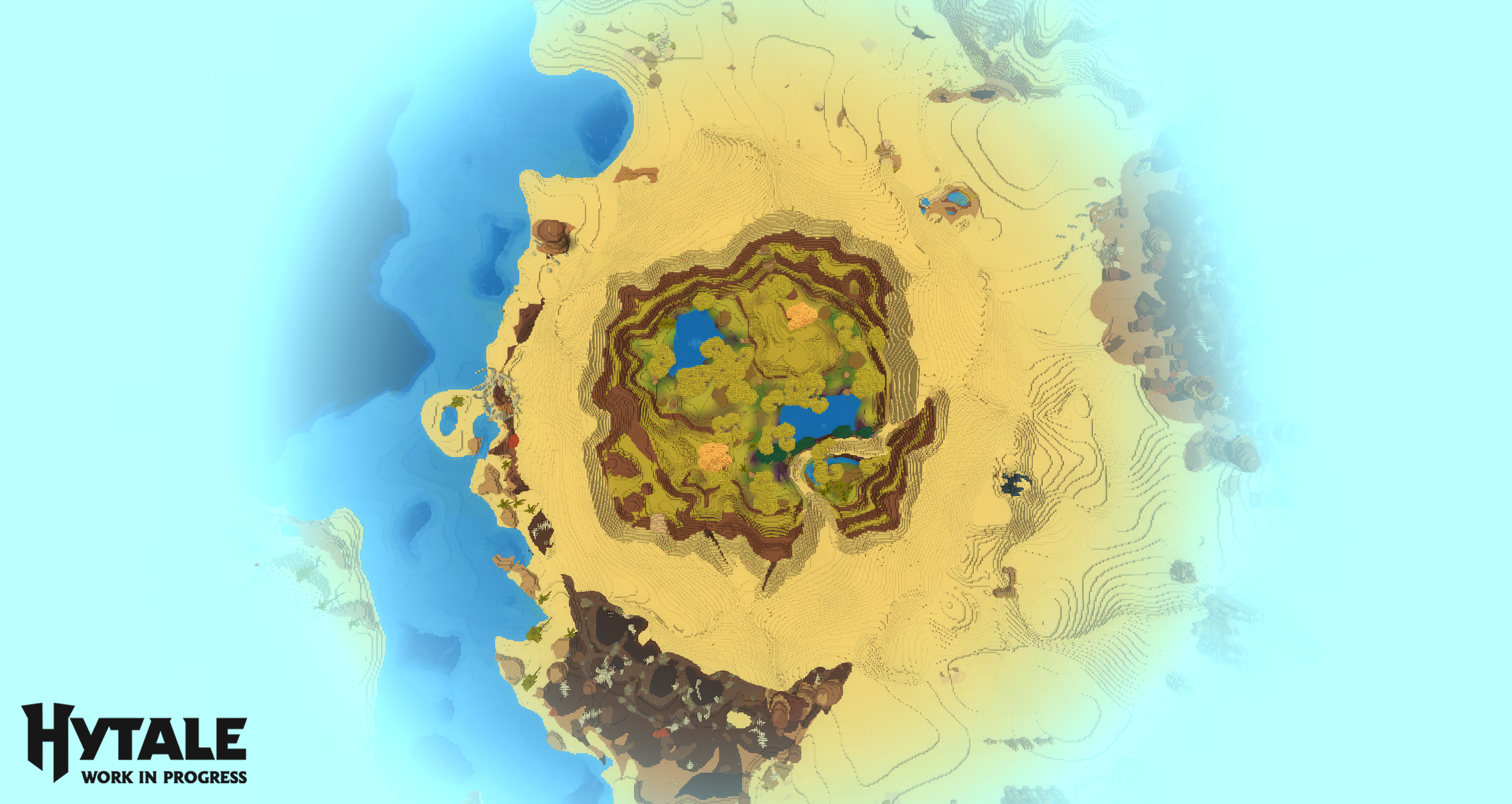
(Screenshot of 384 view distance from above)
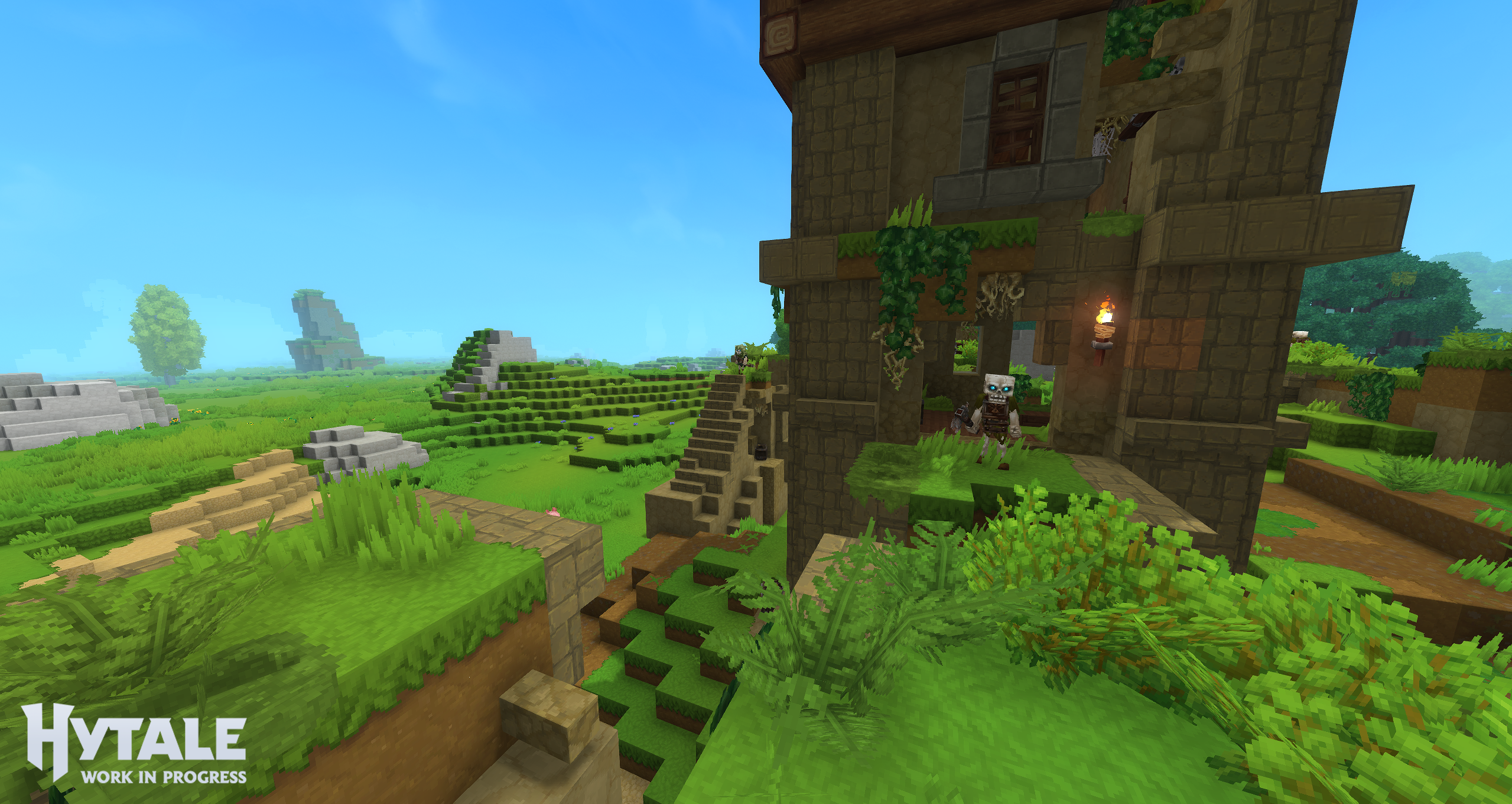
(Screenshot of 192 view distance from player perspective)
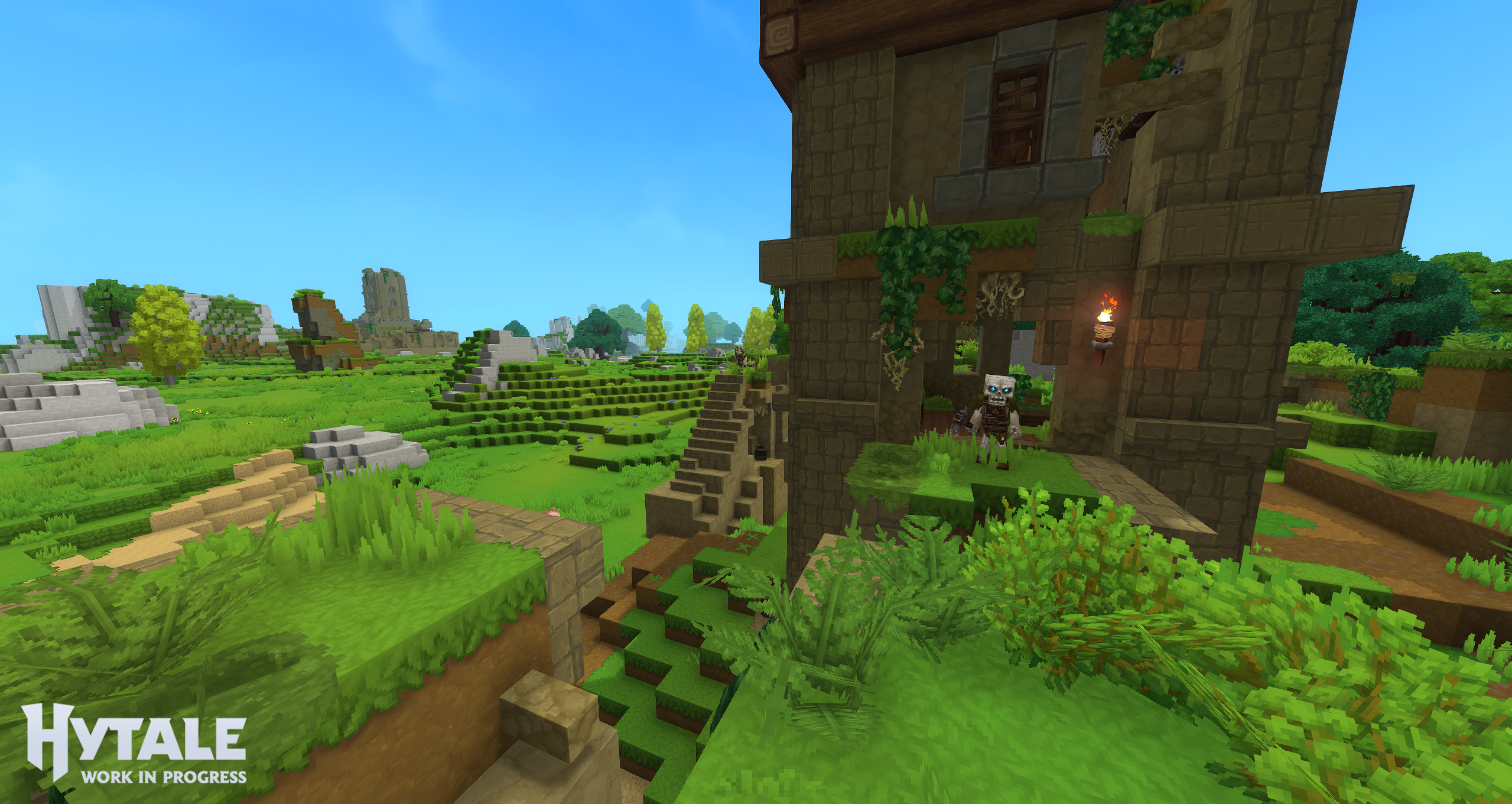
(Screenshot of 384 view distance from player perspective for recommended gameplay)
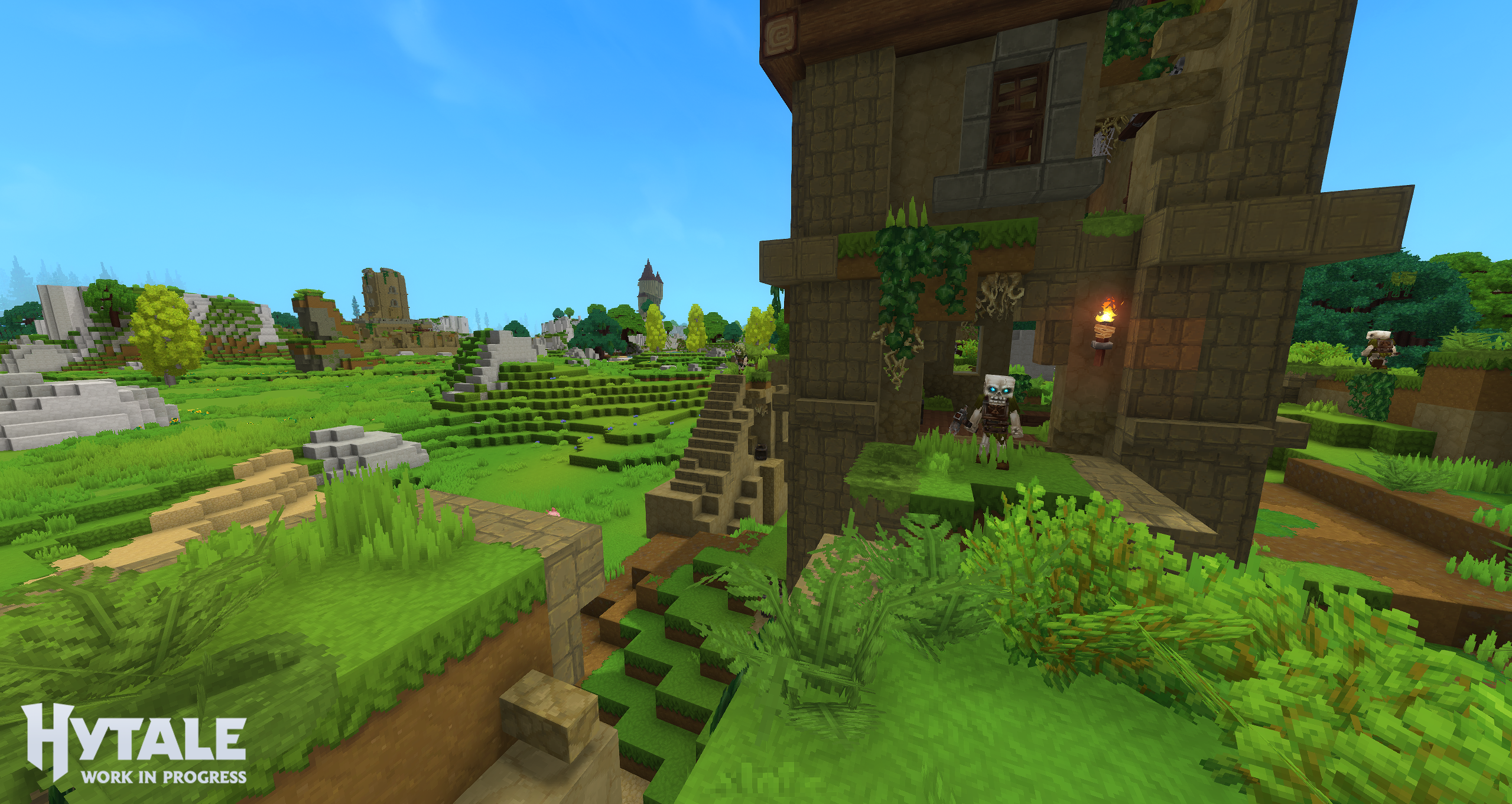
(Screenshot of 768 view distance from player perspective)
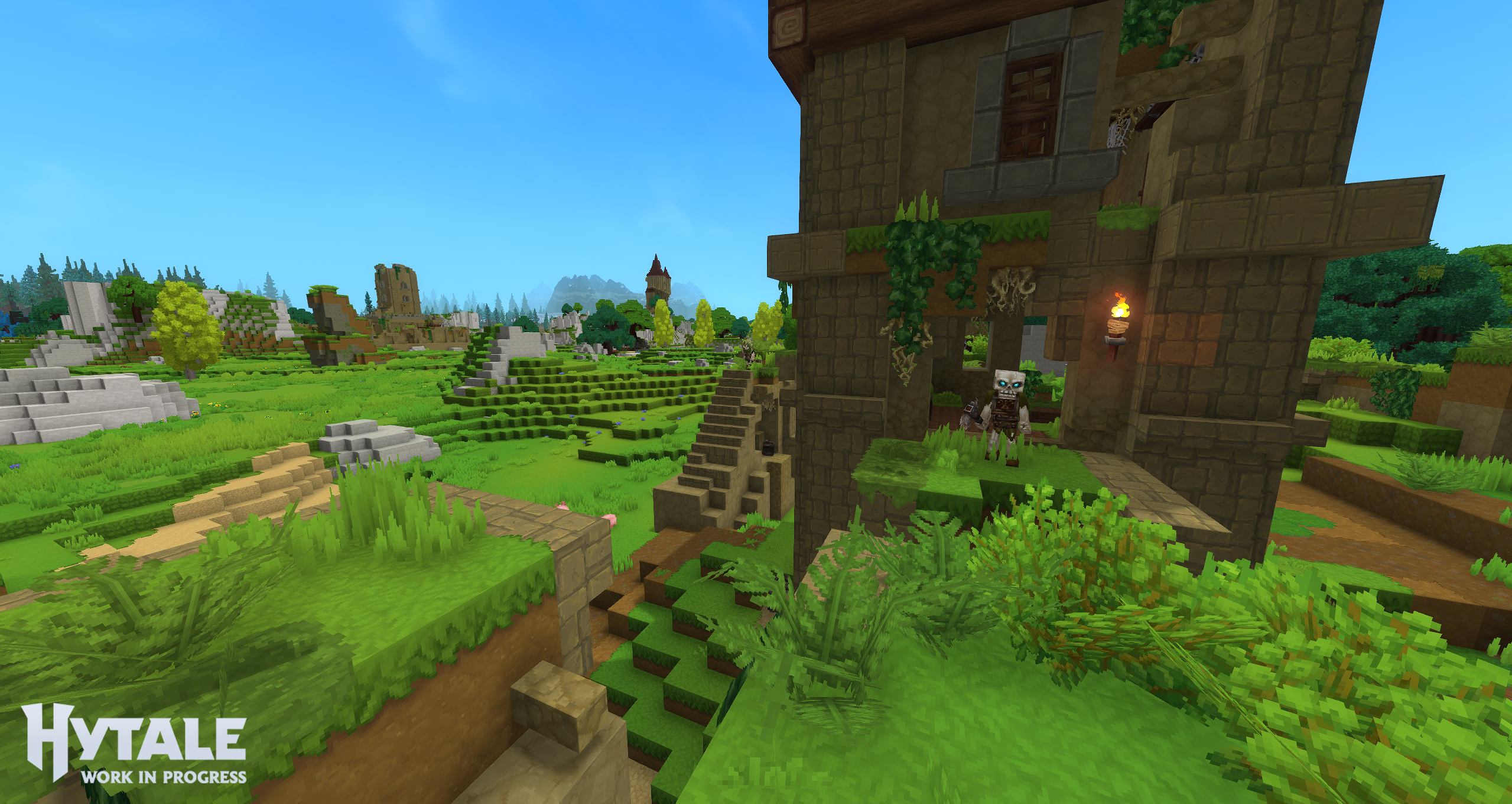
(Screenshot of 1024 view distance from player perspective)
Technical Notes
This section is very technical and it is not expected that players understand this but it may help a technical friend / community member to help you determine if your computer / laptop is sufficient.
Hytale is a sandbox voxel game, which means it cares more about CPU performance and RAM than many other games. Once your GPU meets our minimum specs, upgrading your CPU (and having enough system memory) will usually help more than buying an even faster graphics card.
Internally, Hytale builds large texture atlases (big combined textures) and keeps a lot of world geometry in VRAM. Higher view distances increase this usage. That’s why some GPUs run out of VRAM or start stuttering even if they look fine on paper.
As a rule of thumb:
- Make sure your GPU meets or exceeds our listed minimum (including VRAM).
- Prefer a dedicated (discrete) GPU over an integrated one on laptops.
- After that, focus on a solid multi-core CPU and enough RAM rather than a top-end GPU.
Our Optimization Work Is Ongoing
We have not finished optimizing Hytale. Graphics, world simulation, memory behavior, GPU overhead, and more are still being tuned. Expect performance to improve further as we progress through Early Access and beyond. Our mission is to continuously improve the performance of Hytale.
What to Expect Next
We are still working on the system requirements for Mac and Linux which we intend to support for older Macs (Intel Processors) and newer Macs with M1+ (Apple Processors). We will update this post as we receive more data.
We received a lot of inquiries about the Steamdeck and we also lack the ability to test it right now and we don’t plan to launch on Steam until we determine our ability to comply with Steam’s policies. On paper it should work on Steamdeck but we also lack good input mappings / small display UI - so we will once again ask for some patience.
These requirements will be updated as we apply optimizations through Early Access. Our focus is to make Hytale run well across a wide variety of systems without compromising scale or modability.
If you have a computer that doesn’t run singleplayer very well, you should join a friend and play with them on their singleplayer or play on online servers as they show better performance.
~ Hytale Team